I Spent 24 Hours Mastering Video Editing with Filmora AI Features
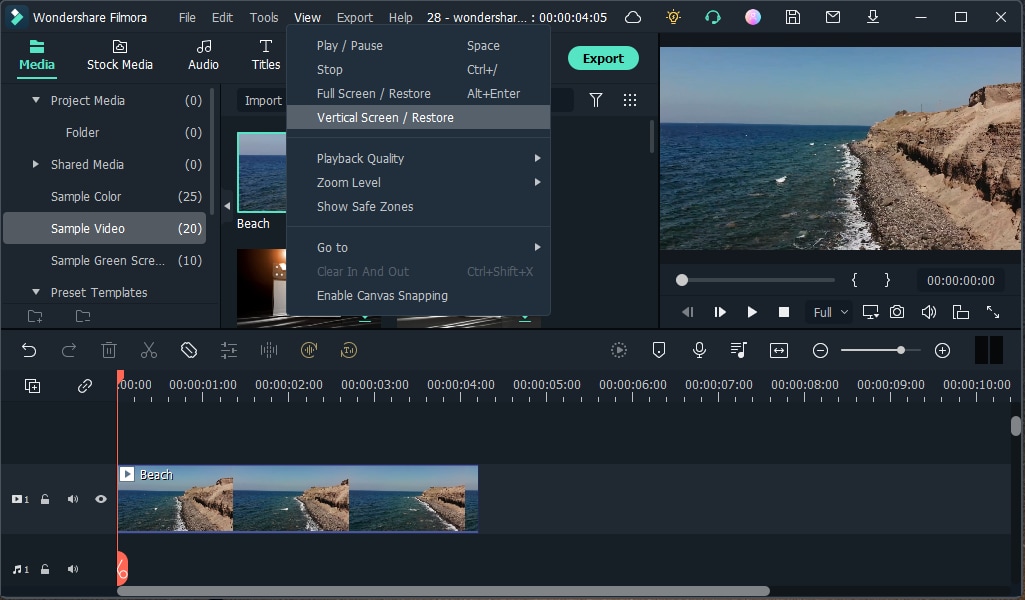
Wondershare Filmora is a versatile video editing software renowned for its user-friendly interface and robust feature set, catering to both novices and seasoned editors. One of its standout capabilities is its comprehensive support for MP4 files, a widely adopted video format. This support ensures users can seamlessly import, edit, and export MP4 videos without compatibility concerns.?
Understanding the MP4 Format
MP4, or MPEG-4 Part 14, is a digital multimedia container format commonly used to store video and audio. Its widespread adoption stems from its ability to deliver high-quality video at relatively small file sizes, making it ideal for streaming and sharing across various platforms. Filmora's native support for MP4 ensures that users can work with this format effortlessly, preserving the quality and integrity of their footage.?
Importing MP4 Files into Filmora
Filmora simplifies the process of importing MP4 files. Users can drag and drop their MP4 videos directly into the media library or use the import function to browse and select files. This intuitive approach allows for quick project setup, enabling editors to focus on the creative aspects of their work.
Editing MP4 Videos with Filmora
Once imported, Filmora offers a suite of editing tools tailored to enhance MP4 videos:
- Basic Editing Tools: Users can cut, crop, trim, split, and join MP4 clips with precision, allowing for meticulous editing and seamless storytelling.
- Transitions and Effects: Filmora boasts a vast library of transitions and effects, enabling editors to add professional touches to their MP4 videos. These include creative transitions, filters, titles, and motion elements exclusive to Filmora. ?
- Advanced Features: For those seeking more sophisticated edits, Filmora provides tools such as motion tracking, chroma key (green screen), and split-screen functionalities. These features allow for dynamic visuals and intricate compositions.
Audio Editing Capabilities
Recognizing that audio is integral to video content, Filmora offers comprehensive audio editing tools:?
- Audio Denoise: This feature removes background noise from audio tracks, ensuring clarity and professionalism. ?
- Audio Synchronization: Filmora can automatically synchronize audio with video, streamlining the editing process and ensuring cohesive results.
- Audio Stretch: This tool adjusts music to fit the video length effortlessly, saving time and effort while creating perfectly timed audio for videos. ?
Exporting MP4 Videos
After editing, Filmora facilitates straightforward exporting of projects in the MP4 format:?
- Customizable Settings: Users can define parameters such as resolution, frame rate, and bitrate, ensuring the exported MP4 meets specific requirements.?
- Device Optimization: Filmora offers presets tailored for various devices, ensuring optimal playback quality across platforms.?
- Direct Sharing: The software allows for direct uploading of MP4 videos to platforms like YouTube and Vimeo (News - Alert), streamlining the sharing process.?
Enhanced Benefits of Filmora’s MP4 Support
Having seamless MP4 compatibility in Wondershare Filmora brings a host of benefits, making video editing more accessible, efficient, and high-quality for creators of all levels. Here’s a closer look at why this feature is so valuable:
1. Universal Compatibility
MP4 is one of the most widely accepted video formats across devices, media players, and social media platforms. With Filmora’s MP4 support, users can confidently edit and export their projects knowing they will play smoothly on smartphones, computers, smart TVs, and even gaming consoles without requiring additional conversions.
2. High-Quality Video with Optimized File Size
MP4 files offer a great balance between video quality and file size, ensuring that users can create stunning HD or even 4K videos without excessive storage consumption. Filmora ensures that MP4 files are efficiently compressed without noticeable loss in quality, making them ideal for professional and social media use.
3. Smooth Import and Export Process
Unlike some video editors that struggle with format compatibility, Filmora allows users to import MP4 files directly without needing third-party conversion tools. Likewise, exporting in MP4 ensures videos can be instantly uploaded to YouTube (News - Alert), Instagram, and other platforms without additional modifications.
4. Faster Rendering and Performance Optimization
Filmora is optimized to handle MP4 files efficiently, reducing rendering and exporting time compared to other heavy or unoptimized file formats. This means content creators can produce and share videos faster, keeping up with deadlines and trends.
5. Streamlined Workflow for Content Creators
For YouTubers, vloggers, educators, and businesses, MP4 support simplifies content production. Whether creating tutorial videos, promotional ads, or cinematic projects, users can focus on creativity rather than worrying about technical issues related to format conversions.
6. Ideal for Mobile and Online Video Sharing
Since most social media platforms recommend MP4 as the preferred format, Filmora’s MP4 export options ensure that videos are optimized for seamless playback on platforms like TikTok, Facebook (News - Alert), and Twitter. This eliminates compatibility issues and guarantees that videos maintain their intended resolution and quality.
Performance and Compatibility
Filmora's optimized performance ensures smooth handling of MP4 files, even those in high-definition or 4K resolutions. Its compatibility across Windows and macOS platforms ensures a broad user base can leverage its capabilities. ?
Conclusion
Wondershare Filmora's robust support for MP4 files, combined with its extensive editing features and intuitive interface, makes it a compelling choice for video editors aiming to create polished, professional content.
About Wondershare Filmora
Launched in 2015, Wondershare Filmora is designed with its user in mind, featuring smoother performance and an intuitive user interface, and has attracted a cumulative global user base of nearly 300 million across 150+ countries and regions.With advanced AI features boosting content generation and editing, over 2.3 million creative assets, commercially available music, 3D LUTs, effects, and pre-set templates, Filmora stands out as a leader in video editing software. Consistently introducing innovative tools, it enhances video creation and makes the process more efficient and accessible for all skill levels.
About Wondershare Technology
Wondershare is a globally recognized software company founded in 2003, known for its innovative solutions in creativity and productivity. Driven by the mission "Creativity Simplified", Wondershare offers a range of tools, including Filmora, Virbo, and DemoCreator for video editing; PDFelement for document management; EdrawMax, EdrawMind for diagramming; and SelfyzAI, Pixpic, FaceHub for image recovery and editing. With over 1.5 billion users across 200+ countries and regions, Wondershare empowers the next generation of creators with intuitive software and trendy creative resources, continually expanding the possibilities of creativity worldwide.
