But it’s easy to do with the proper methods and tools. Whether you will use ETL or reverse ETL, this is your guide.
Here are some tidbits of what you are going to expect:
- About HubSpot (News - Alert)
- About Snowflake
- Best Methods for HubSpot and Snowflake Integration
- Advantages of Integrating HubSpot to Snowflake
Let’s begin.
About HubSpot
HubSpot is a premiere Customer Relationship Management (CRM) software as a service. It’s known for its ease of use and powerful features. That’s why the tagline on the home page is “Powerful, not Overpowering”.
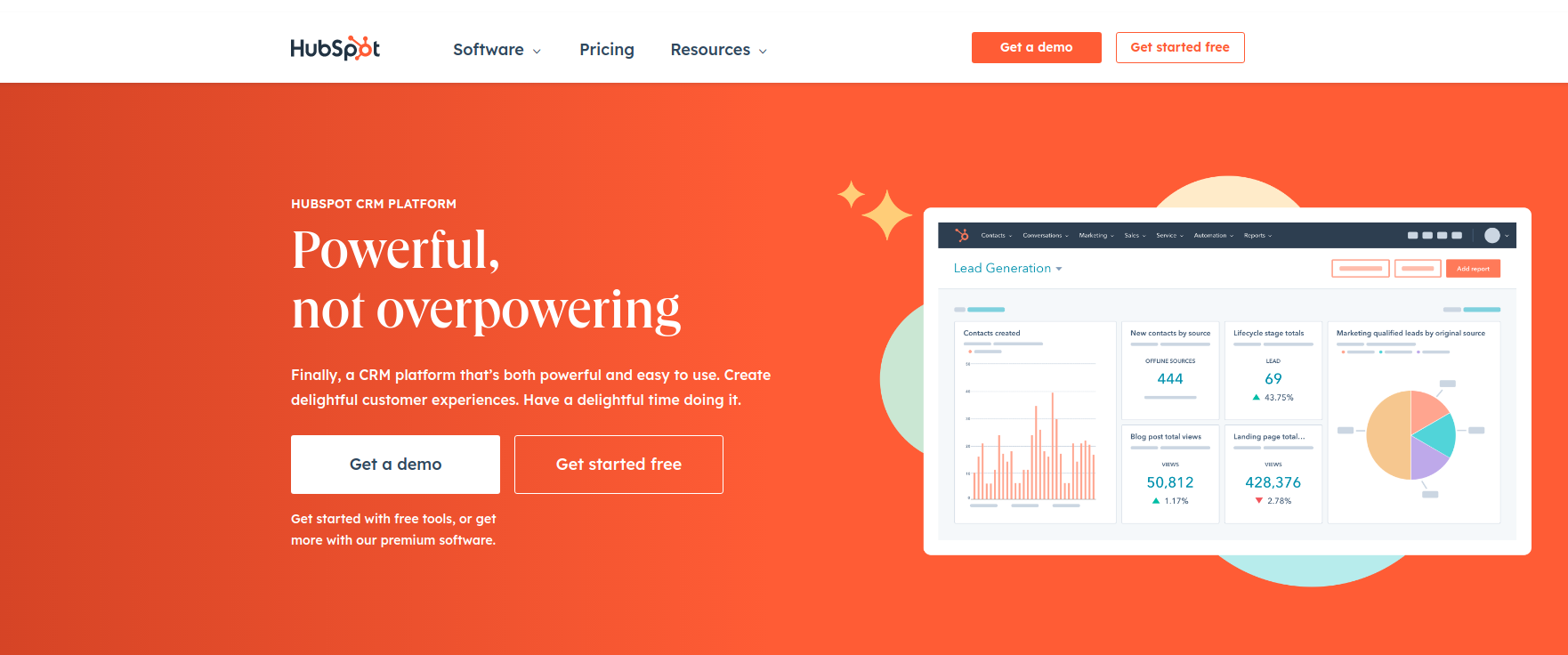
HubSpot helps businesses to:
- attract visitors,
- convert them to paying customers,
- get more sales leads,
- and close deals
Experts and novices working on marketing and sales will love the following features:
- Contact management
- Task and activities
- Sales prospecting
- Email marketing
- Live chat
And these features plus more are free. And there are even more features on the paid plans.
HubSpot is great for small to midsize businesses. And if you already have it on a free plan, you can integrate it with Snowflake.
About Snowflake
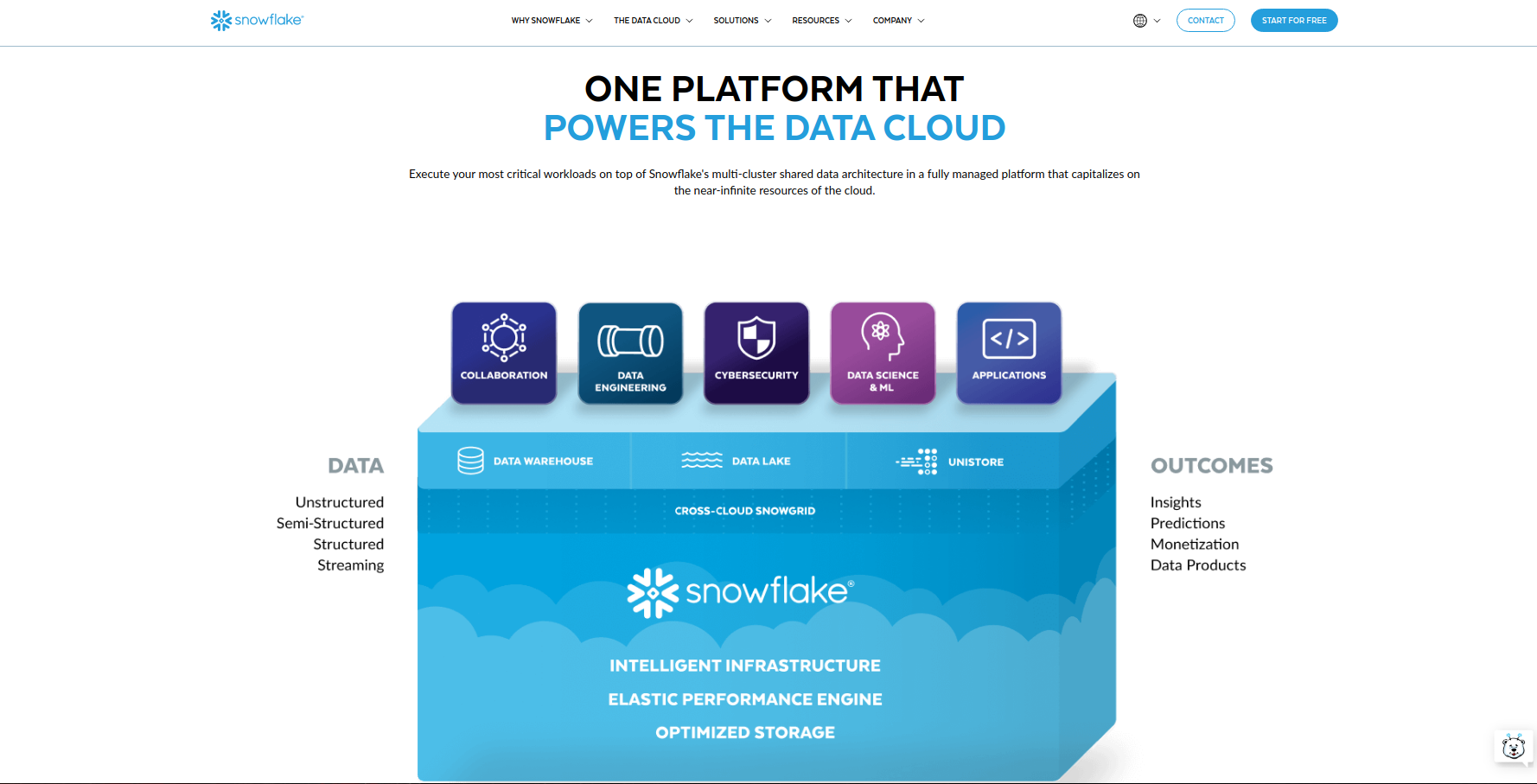
Snowflake is a cloud data platform envisioned to eliminate data silos. It started with data warehousing in the cloud. But now, you can also use it for the following:
- Data lake
- Data collaboration
- Data Analytics
- Data Science
- Data applications
- Unistore workloads
Snowflake allows organizations to quickly get value from rapidly growing data sets in a secure and compliant manner. This platform is an essential tool for:
- Data engineers
- Data analysts
- Data scientists
Best Methods for HubSpot and Snowflake Integration
CSV Files
A quick solution for integrating HubSpot and Snowflake is to use CSV files.
Pros
- Import and export in HubSpot without coding.
- Converting data to CSV is a feature of HubSpot and Snowflake
Cons
- You will do it manually for each data set: One for Contacts, another for Companies, and others.
- Data can easily get staled. For example, the contacts you downloaded yesterday may not be the same today.
Snowflake Data Share
Both HubSpot and Snowflake have Marketplaces for integration. And with these, you can integrate your HubSpot data into Snowflake.
Pros
- No other tool is needed to do integration.
- HubSpot and Snowflake are collaborating to improve the integration.
Cons
- You need an SQL expert to query HubSpot tables from Snowflake.
- Integration is HubSpot to Snowflake only and not the reverse.
- Daily updates only if your HubSpot region is different from your Snowflake region.
Cloud Data Integration Tool (Skyvia)
A cloud data integration tool is useful for sales, marketing, and other systems as well. And the one tool we recommend is Skyvia.
Pros
- 140+ connectors and growing, including HubSpot and Snowflake.
- Simple and easy drag-and-drop interface.
- With free plans and trials.
- Simple and complex data transformations.
- With a built-in scheduler for pipelines.
- 100% cloud. No need to install it.
Cons
How to Make HubSpot and Snowflake Integration in Skyvia
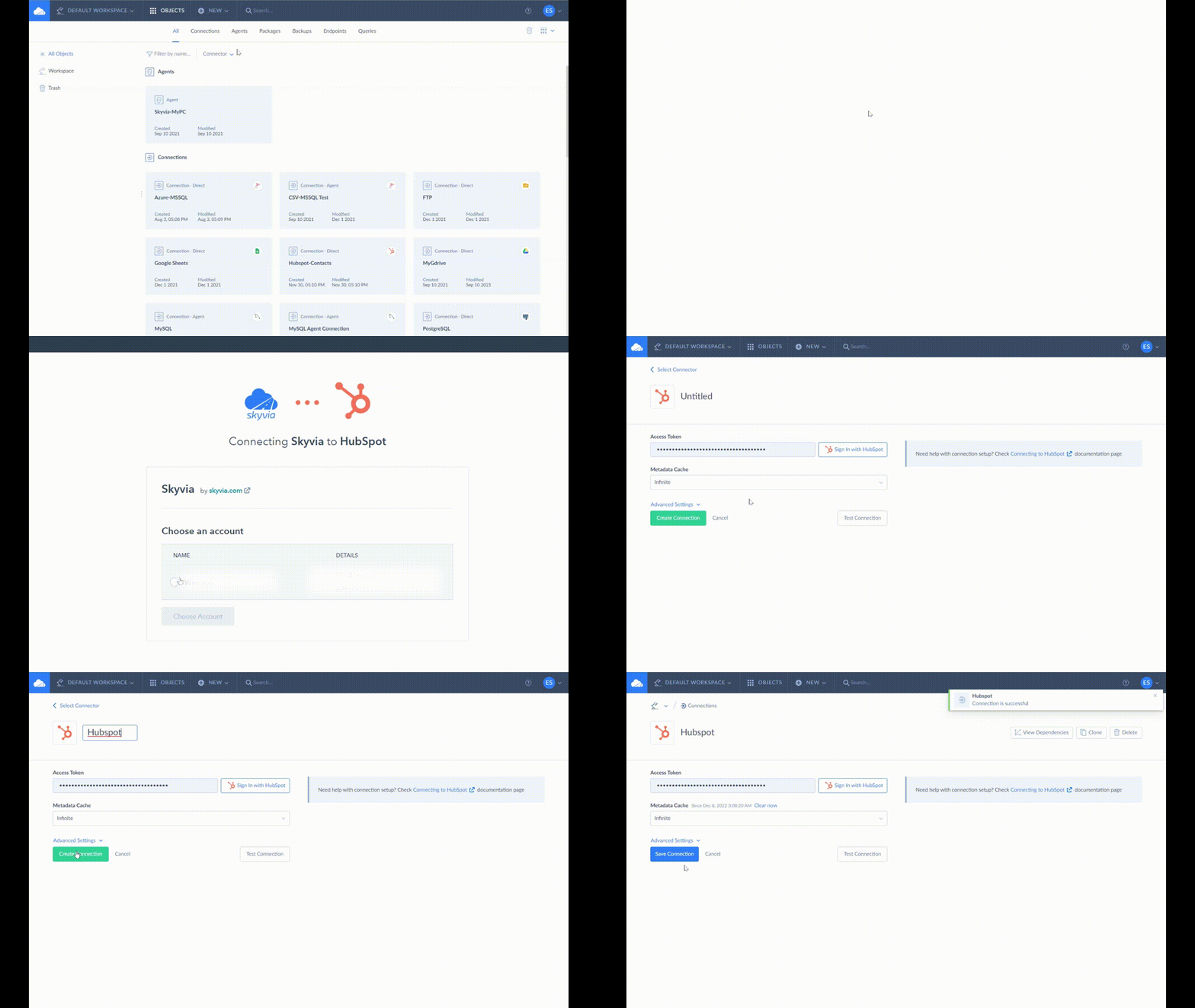
STEP 1: Create a Connection to HubSpot
See below how a HubSpot connection is made in Skyvia:
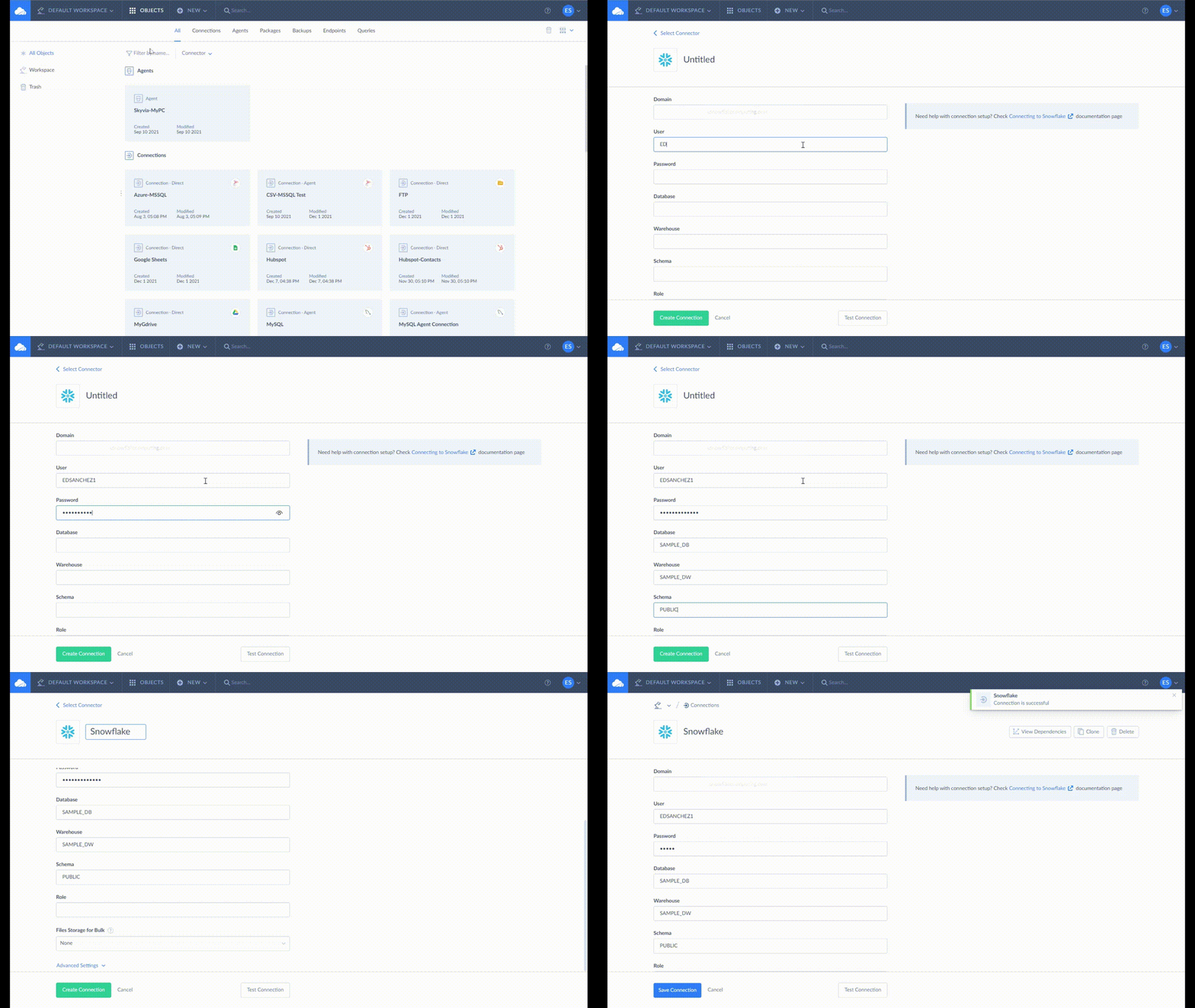
STEP 2: Create a Connection to Snowflake
See below how a Snowflake connection is made in Skyvia:
STEP 3: Create a Data Flow to Extract and Load Contacts from Snowflake to HubSpot
Below is the simplest example of a Snowflake to HubSpot integration:

STEP 4: Run the Data Flow
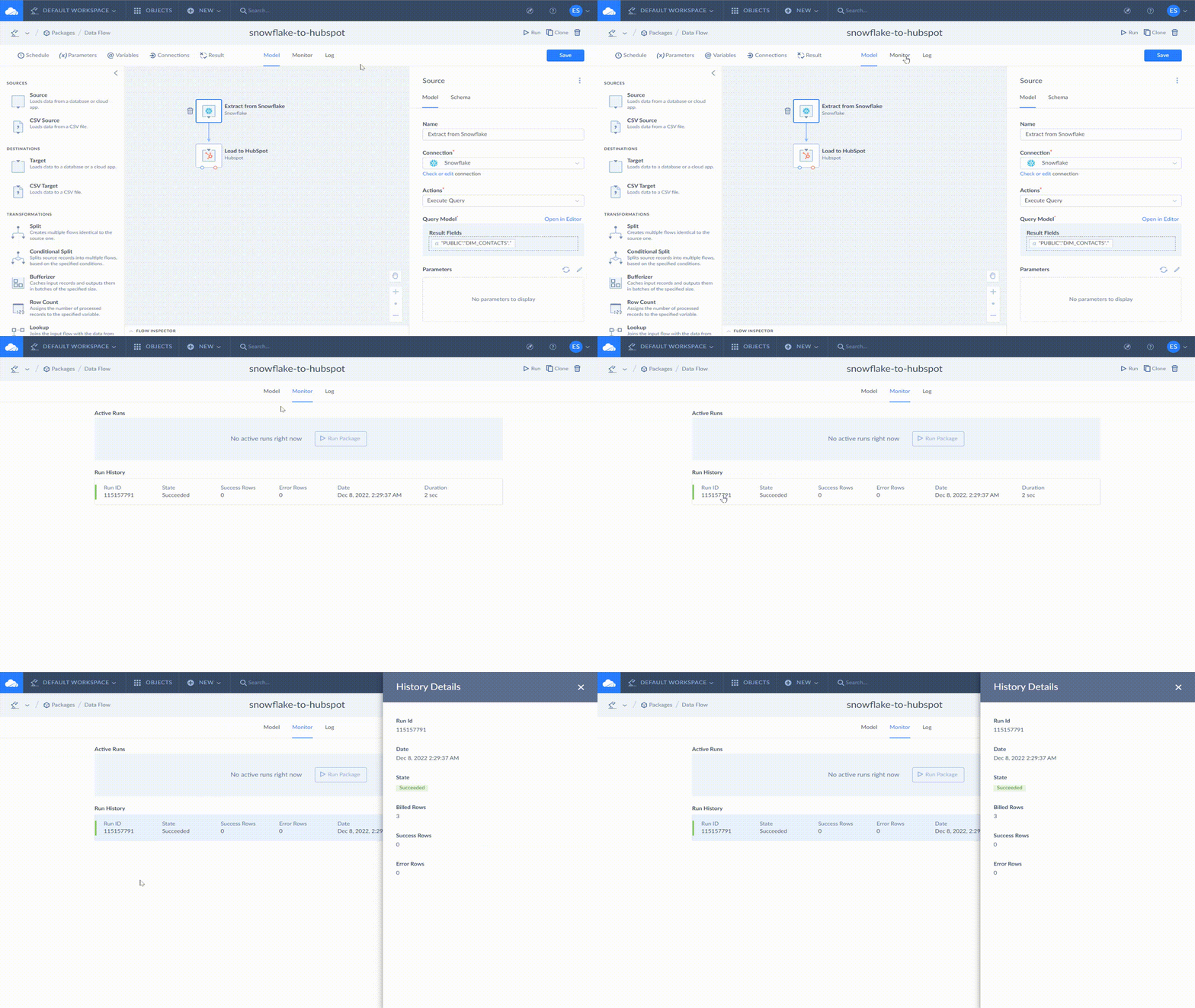
Click Run from the upper right corner of the page. When done, click Monitor. Then, click the Run ID of the latest run for the details of the result. See a sample below:
STEP 5: Schedule your Data Flow
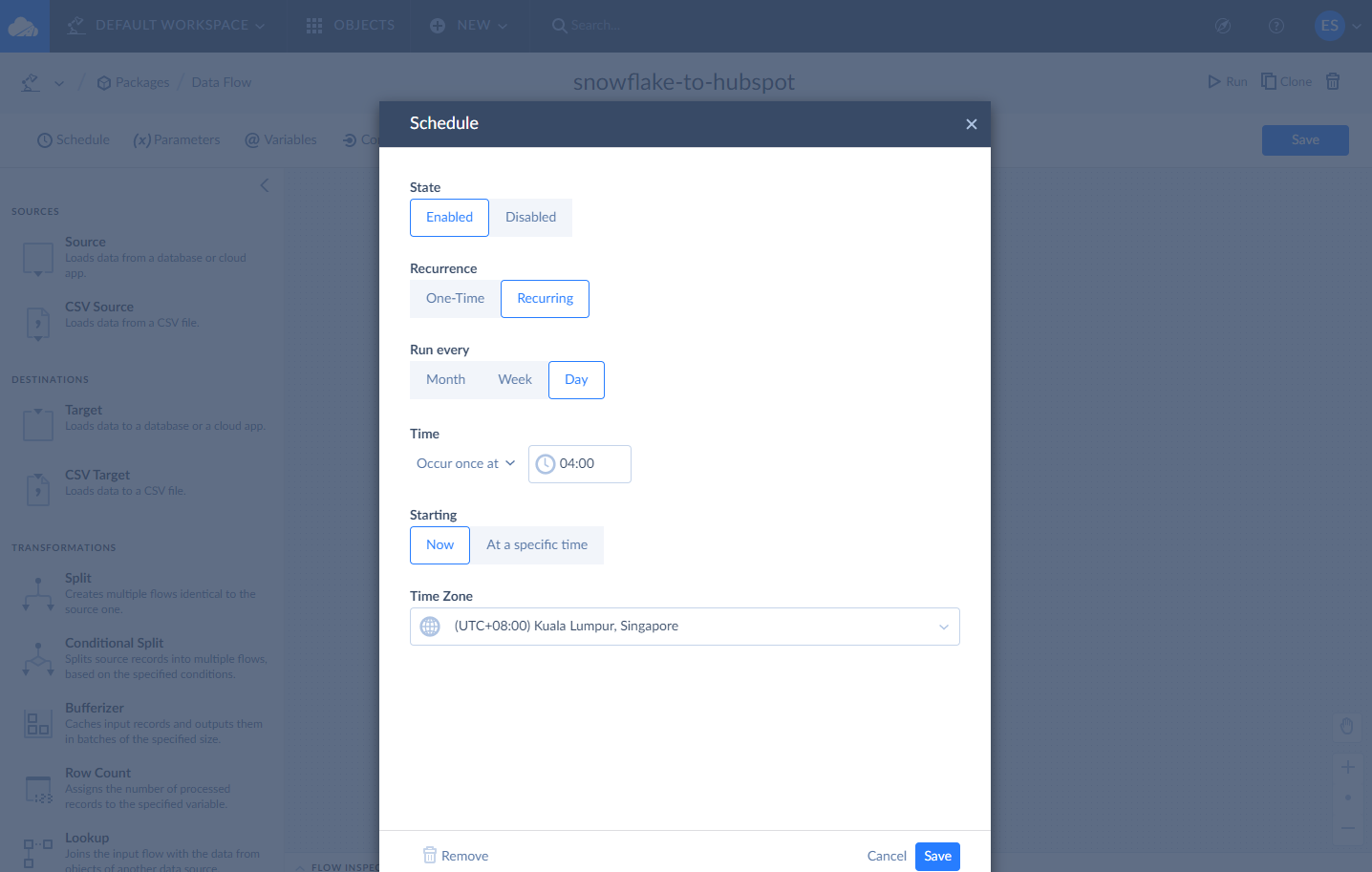
You can make a recurring schedule of a Data Flow by clicking Schedule from the top left corner of the page. See below:
Advantages of Integrating HubSpot to Snowflake
Snowflake is a good choice for a data warehouse when consolidating various systems. It is also built to handle huge amounts of data. And here’s what you can get if you will do this with HubSpot today:
- A single source of truth about your customers, your sales, and more.
- Level up your analytics for data-driven decisions.
- Combine sales and marketing analytics with other areas of business, like accounting and finance.
- Improved security by allowing the right data for the right people.
- Archive of historical data for audits and compliance.
Doing reverse ETL from Snowflake to HubSpot also has its advantages. Insights coming from a Snowflake become actionable. It works by integrating them back into HubSpot which your teams use every day.
Summary
In this article, you learned 3 ways to integrate HubSpot and SnowFlake. And the most flexible and easiest among the 3 is to use a cloud data platform for integrating these data sources.
Skyvia can help you with your HubSpot and Snowflake integration. Why not try it for free? And see how flexible Skyvia is and yet, easy to use. Sign up today and see for yourself.
