|
Yealink SIP-T28P Review
Originally posted on VoIP & Gadgets Blog, here: http://blog.tmcnet.com/blog/tom-keating/voip/yealink-sip-t28p-review.asp.
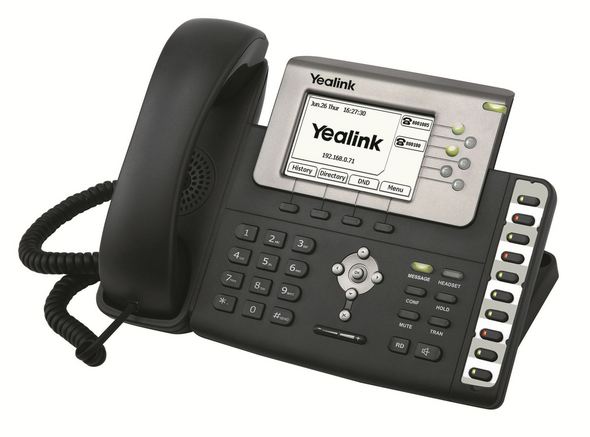
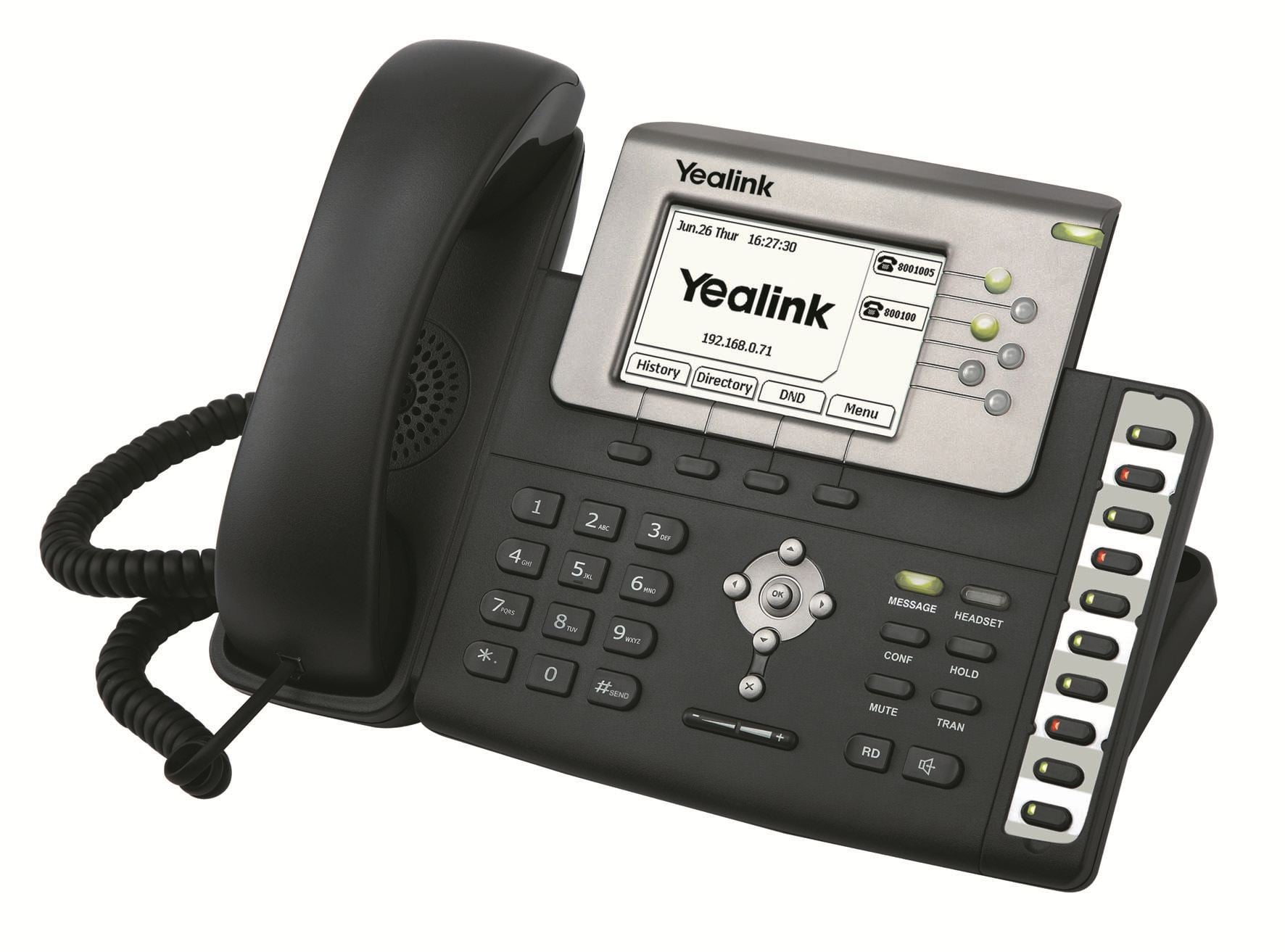
Yealink, a Chinese manufacturer of IP phones is starting to make inroads in the U.S. market with their line of VoIP phones. Several months ago Yealink sent me a Yealink SIP-T28P IP phone to review. The SIP-T28P is a 6-line phone sporting a large 320x160 LCD screen and has full HD voice support (wideband codec, wideband handset, wideband speakerphone) . The SIP-T28P was one of the first IP phones to support the G.722 wideband codec that is now all the rage in the VoIP market.
My first impression of the SIP-T28P was that I liked the large LCD and the sleek ergonomic design which had large easy to press buttons and a useful 4-way arrow navigation keypad. I connected it to our network and logged into the Web admin page to configure the phone. The web interface was easy enough to navigate. I had no trouble adding the SIP credentials, configuring the NTP server, adding speed dials, and other various configuration options.
The web interface displays a message when the phone is registered so you know immediately if you put the SIP credentials in correctly. I have to say, I really loved how every change I made DOES NOT require a reboot. I've never tested a phone that didn't require a reboot, especially after putting in the SIP settings. Even after putting in the SIP settings on the SIP-T28P, I didn't have to reboot.  It auto-registered immediately. It auto-registered immediately.
<rant>
Polycom phones are the worst when it comes to required reboots - even after the simplest change. Sometimes Polycom phones would even force a reboot when I still had other changes to make. But not so with the SIP-T28P! Granted, IP phones should only be configured once and then should be bullet-proof with no need of reconfiguring, but test engineers in the VoIP space certainly don't want to wait 60s or longer in-between each configuration change & reboot. Plus, companies have turnover, so sometimes you do have to change the phone configuration. So while rebooting may not be the #1 consideration in phone engineering design, phone manufacturers should consider that IT folks hate waiting for things to reboot. So add it to your engineering budget! - Or perhaps, just perhaps we might jump ship to another phone vendor.
</rant>
In any event, after registering the phone on an Asterisk-based IP-PBX I made a test call. The voice quality was excellent. I switched over to speakerphone mode and it too had excellent quality with no echo. I definitely noticed a difference with the wideband HD support on this phone.
From the web interface you can manually add contact names or even import them. This is useful if you want to convert the CallerID phone number to the person's name. You can also add them to the blacklist section and the caller with automatically be sent to your voicemail.
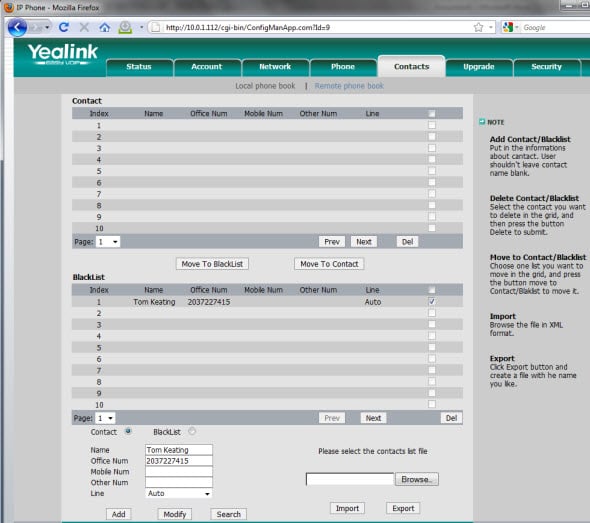
Yealink Contacts Tab with Blacklist
Dial Plan
The dial plan was a little bit different than some of the other IP phones I'm used to. It does allow for matching a digit or a range of digits and you can replace digits, but I couldn't seem to figure out how to send a terminator key to end the dial string and cause the phone to immediately dial. I could manually terminate the dial string by pressing the # key on the phone, but I find that a bit of an annoyance. I prefer to just dial the phone number and the phone recognizes when I press the last digit (by matching the dial plan) and simply dials the number.
For instance, if I dial a 3 digit extension with no '9' prefix, that means it's an internal call. The call should immediately connect to the internal extension after I press the last 3rd digit. If however, I start my dialing with a '9', that indicates an outbound trunk call. Then depending if I dial "1" or "011" the rest of the dial string is either exactly 10 digits long (U.S. / Canada call) or varying length for international call. Thus, if I dial 9 + 1, the phone should immediately dial the number after the 10th digit. Alas, I have to hit "#" on the SIP-T28P or the Send button on the LCD. A minor nuisance perhaps, but I'm so used to not having to do that.
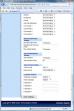
There was a bit of a workaround. Under the dial plan was a feature called "Dial Now" as shown here:
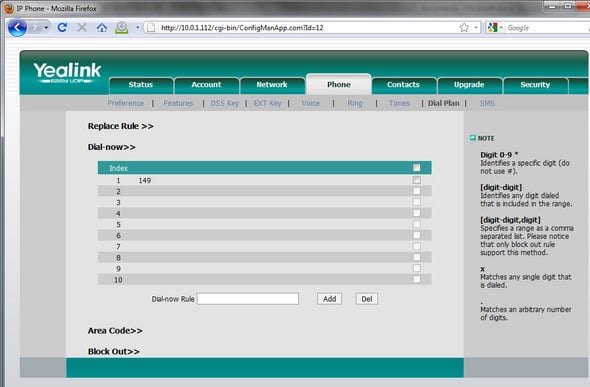
I was able to add my phone's extension to the list (149). Then when I dialed from the Yealink to x149 it dialed it without requiring me to press '#'. Still, it was about a 0.5s delay before it would dial and not quite instant. Also, this workaround is only for 10 phone numbers and not for matching any phone number you dial.
The hotline feature is pretty nifty, though it probably has very niche applications. You simply put in a phone number into the hotline field and it will instantly dial that number when you pick up the handset (both internal extensins and outbound numbers work). This is great for CEOs/executives to instantly reach their personal assistants and vice versa.
Another interesting feature that ringtone fans will certainly like is that you can upload your own ringtone to the phone. The phone supports NTP servers for keeping the phone's clock accurate and it supports daylight savings time. It also supports auto provisioning via TFTP/FTP/HTTP/HTTPS. It's worth mentioning that the SIP-T28P supports both PoE and the use of an AC adapter. One last cool feature is that you can customize the Yealink logo using your own greyscale image.
Specifications
Chipset: TI TITAN
Flash memory: 8MB
SRAM memory: 32MB
Dimension: 273x204x42mm
Power consumption(approx.): 1.6-2.6W
Connections
LAN & WAN ports: 10/100Mb
PoE(802.3af) built-in
Handset(RJ-9)
Headset(RJ-9)
Expansion module
User interface
Display type: 320x160 graphic LCD with 4-level grayscales
LCD Backlight
Total Hard keys= 48
Line keys 6 3 3 2
DSS keys (except line keys): 10
Soft keys: 4
Navigation keys: 6
Fixed feature keys: (Message/Headset/Conf/Hold/Mute/Tran/Redial/Handsfree)
Programmable keys: 16
Power and ring indicator
SIP Accounts indicator
DSS keys with dual color
Message indicator
Headset indicator
Voice
HD voice: HD Codec, HD Handset, and HD Speaker
Wideband codec: G.722
G.711 A-law/�-law, G.726, G.723.1, G.729AB
iLbc/GSM: Optional
HAC(Hearing aid compatibility)
VAD (Voice activity detection)
CNG (Comfort noice generator)
AEC (Acoustic echo canceling)
PLC/AJB/AGC
Side tone
Quality of Service(Qos): 802.1p/Q, ToS/DSCP
Telephony features
Total SIP Accounts: 6
Hands-free full-duplex speakerphone
Redial, Auto redial
Mute
3-way conferencing
Caller ID display
Call hold, Call waiting, Call transfer(blind/attended), Call forward
Call History(all/missed/received/dialed/forwarded): 100 entries
DND
SMS
Voice mail
Message waiting indicator(MWI)
Speed Dial
Ringtone selection, Import of individual ringtone
Tone setting
Phonebook: 300 entries; Phonebook search/import/export
Black list
Phone lock(keypad lock)
LCD display logo
# or * key as Send function
Hotline
Localized language
IP PBX and IP Centrex features
BLF(Busy Lamp field)
BLA(Bridged Line Appearance)
Paging
Intercom
Call park, Call pickup, Call completion, Call recording
Anonymous call rejection
Auto answer
Emergency call
Call return
Group pickup
Group listening
Distinctive Ringtone
Music on hold(via PBX)
Dial Plan
Dial now
Network and Time
WAN Static IP/DHCP/PPPoE
PC port mode Bridge/Router
DHCP server for PC port
VLAN(802.1Q and 802.1P)
SNTP/NTP
Security
HTTPS (server/client)
TLS (Transport Layer Security)
SRTP (RFC3711)
AES for auto-provision
3-level privilege: Admin/VAR/User
Web Interface
Embedded webserver HTTP/HTTPS
Edit phonebook via web
Send SMS via web
Dial via web
Management(config/upgrade)
Configuration via LCD
Configuration via web
Configuration via autoprovision
Automatic firmware update
Manual firmware update
Auto provisioning: TFTP/FTP/HTTP/HTTPS
Auto provisioning with PnP
TR069 Optional
SNMP Optional
System log export
SIP
SIP v1 (RFC2543)
SIP v2 (RFC3261)
UDP/TCP/TLS
Out-of-band DTMF(RFC 2833)
In-band DTMF
SIP INFO DTMF
STUN client (NAT traversal)
Rport (RFC3581)
Digest/basic authentication Digest (MD5)
Peer-to-peer SIP link mode
Loose routing and strict routing support
Advanced features
XML phonebook (Central)
XML screen/browser
Hot-desking
OpenVPN
802.1x
LDAP phonebook Pending Pending Pending Pending
Pricing: The MSRP price for SIP-T28P is $189.
Ratings | Score | | Installation |  | | Features |  | | Usability |  | | Performance | | | Value | | | Overall | |
|
Conclusion:
Although I griped earlier about having to press # to initiate the dialing, which affected the Usability score, overall I really liked the SIP-T28P. The large LCD was very easy to read and the HD components (wideband codec, handset, speakerphone) truly gave this phone superb sound. Both the web interface and the LCD were very easy to navigate to perform functions or change configurations. The phone never crashed on me once in the few months that I tested it. It's very reasonably priced at $189 for such a feature-rich HD phone and I wouldn't hesitate to recommend it.
Tags: hd, ip phone, phone, poe, review, sip, SIP-T28P, voice, voip, yealink
Related tags: wideband codec, phone number, pending pending, should immediately, polycom phones, phone
Related Entries
Polycom VVX 1500 Media Phone Game Changer? - Mar 09, 2009
 AudioCodes enters IP Phone arena with 300HD Series - Nov 05, 2008
Aastra 57i and 57i CT Review - Oct 17, 2008
 Linksys WIP330 Wireless-G IP Phone Review - Jun 12, 2006
SmartSIP Launches for OCS 2007 R2 Enabling Any SIP Phone & Any SIP Trunking Service Provider - Mar 04, 2009
 Dual Stack SIP and Skype IP Phone Coming - Jan 30, 2009
 snom 820 VoIP phone - Oct 15, 2008
 snom m3 review - Oct 07, 2008
 Adtran IP 706 Review - Oct 01, 2008
 New 3CX VoIP Phone SIP Softphone - Sep 02, 2008
 TrackBacks
| Comments | Tag with del.icio.us | VoIP & Gadgets Blog Home | Permalink: Yealink SIP-T28P Review
TrackBacks
| Comments | Tag with del.icio.us | VoIP & Gadgets Blog Home | Permalink: Yealink SIP-T28P Review
[ Back To TMCnet.com's Homepage ]
|

 Facebook Profile
 FriendFeed Profile
 Google Reader Profile
 LinkedIn Profile
 Netflix Profile
 Twitter Profile