|
OBi202 Review
 Chief Technology Officer and Executive Editor
Originally posted on VoIP & Gadgets Blog, here: http://blog.tmcnet.com/blog/tom-keating/voip/obi202-review.asp.
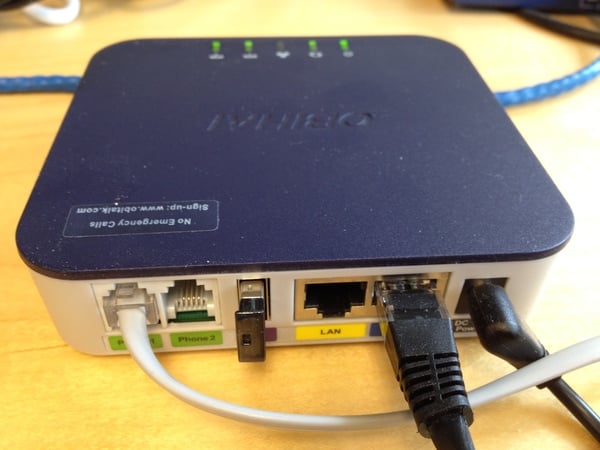
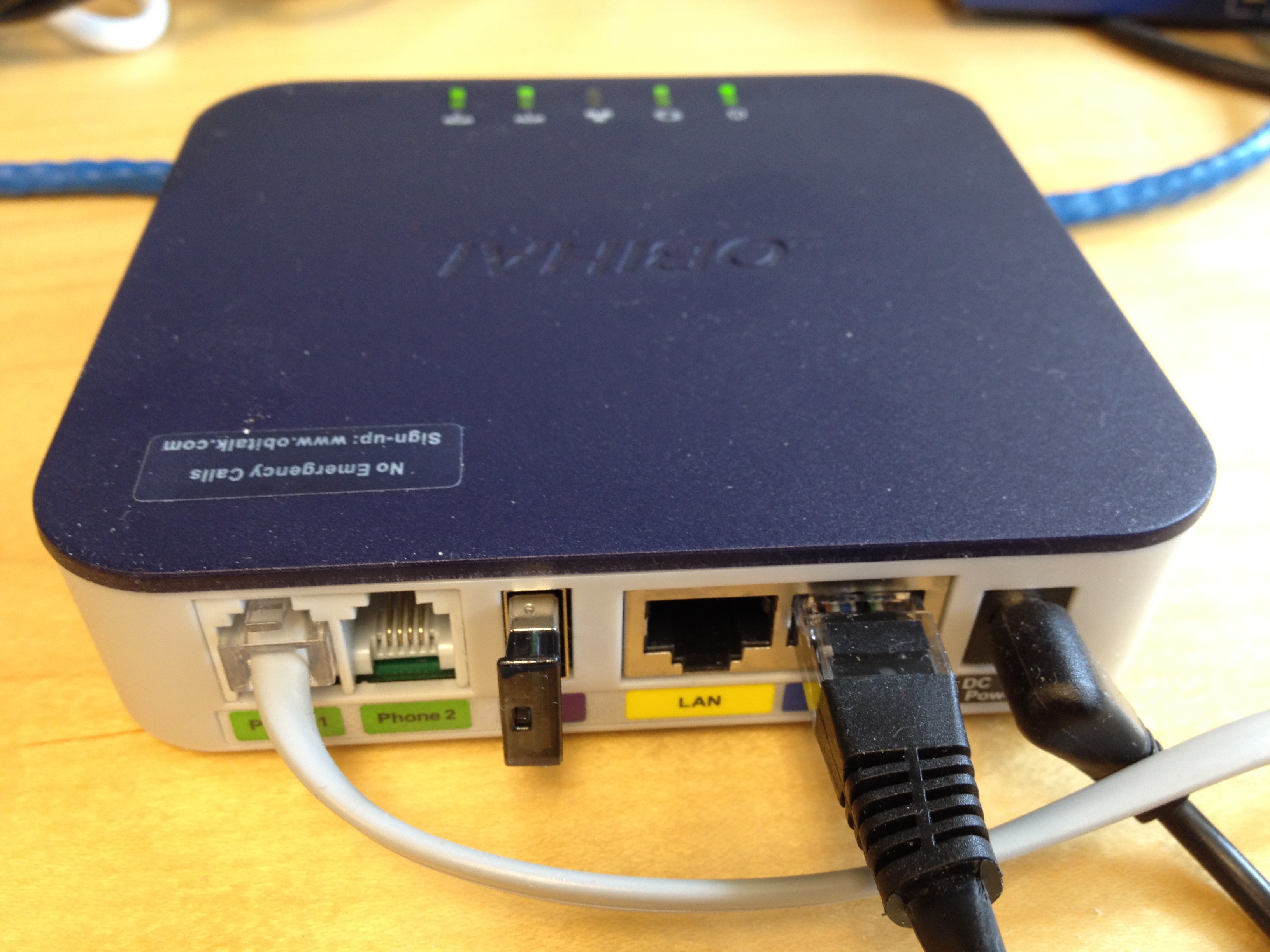
Obihai's line of VoIP products that allow users to BYOD (Bring Your Own Device) instead of being locked to specific VoIP hardware has made Obihai a hit with fans of BYOD. Further, Obihai's analog telephone adapter (ATA) products offer both SIP and Google Voice connectivity making it a very versatile device choice to host your various phone service providers. Obihai's products can even give you FREE unlimited phone minutes to anywhere in the U.S. by leveraging Google Voice's 100% free calling.
Obihai sent me the OBi202 and the new OBiBT Bluetooth adapter for a review and I have to say I was very impressed. The OBi202 sports 2-phone ports with up to 4 VoIP service providers including Google Voice, any SIP-based VoIP service provider plus OBiTALK calling. The two phone ports can be used simultaneously using any service configured on the OBi202. Importantly, it has a built-in router with VoIP packet prioritization (QoS) so you don't have to worry about an Internet bandwidth-intensive download (i.e. Bittorrent, YouTube (News - Alert) video) making the voice choppy.
Not only can OBi202 work with Google Voice for free calling, but as previously mentioned, you can also register up to 4 SIP registrations on the device, including a corporate PBX. Thus, an important executive who often works at home can use their existing favorite home cordless multi-handset phone system (likely DECT) and not have to be pigeonholed into using a non-cordless traditional desktop IP phone, which is not mobile. Besides the lack of mobility with most desktop IP phones, a mid-range to high-end executive IP phone could run >$200, which is more than 2X the cost of the OBi202. So while the Obihai product line is aimed at consumers looking to save money on phone charges, it has some interesting features that also make it a nice fit for business users as well.
Installation
Installing the OBi202 is pretty straightforward. Connect phone to Phone (News - Alert) 1, another phone to Phone 2 (optional), Ethernet cables to LAN and Internet ports, and attach the power cord. I also inserted the small Bluetooth dongle (OBi). Obihai also sports both a hosted web portal as well as a web portal on the OBi202 device itself. The hosted web portal is designed for less technically savvy folks with easy-to-use wizards and such to get you up and running, while the web management portal on the OBi202 itself lets you get more granular including control over codecs, QoS settings, star codes and more.
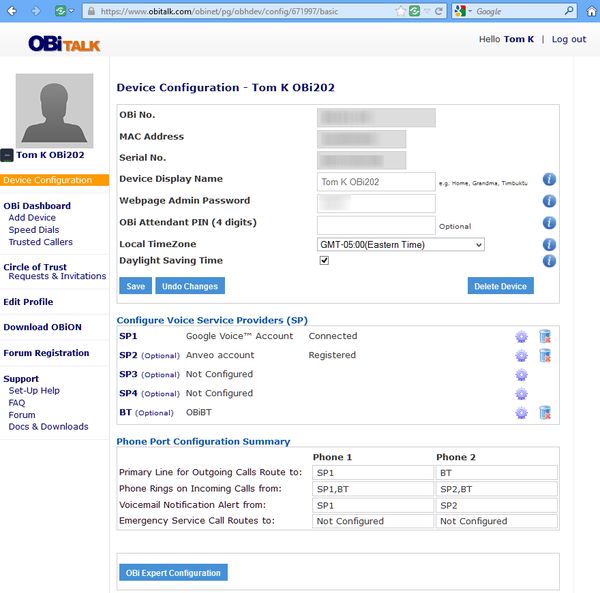
Hosted Web Management Portal
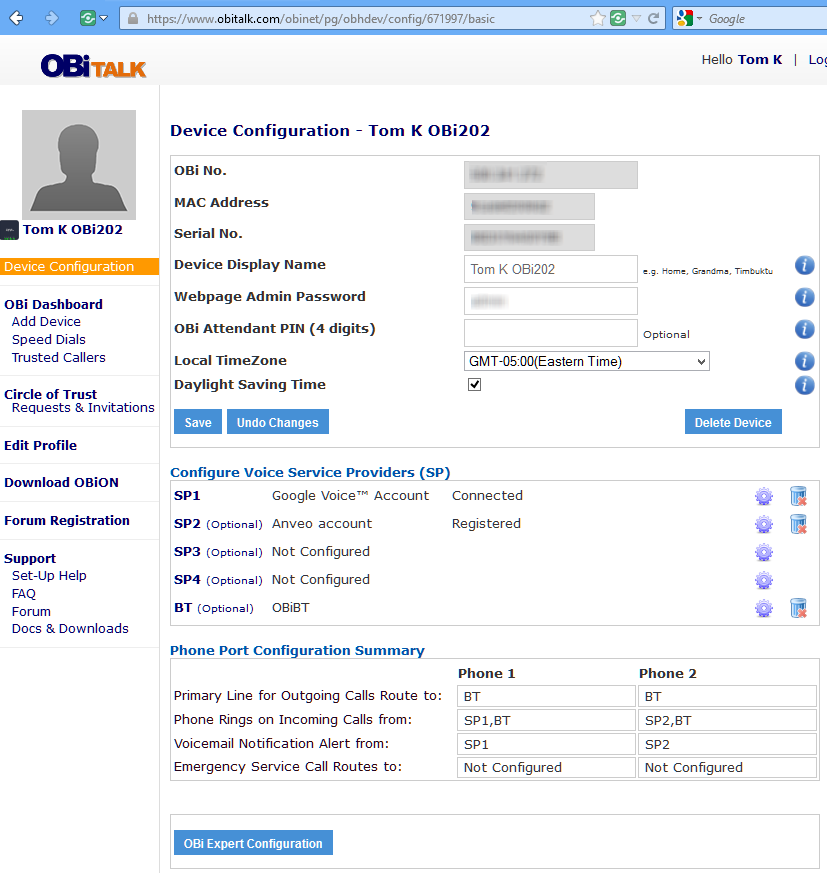
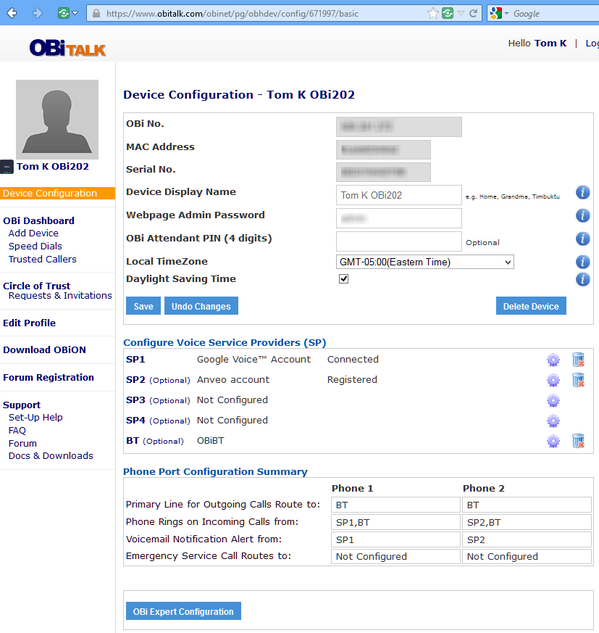
Most users will use the hosted web portal to configure their Obi device. Here's the main device configuration screen where it was very easy to configure settings such as SIP providers, Google Voice, Bluetooth, and how each of the two phone ports handled calls.:
Advanced users might want to get their hands dirty to configure advanced settings such as single-stage dialing capability, which allows any OBi device or OBiON app (PC, Android (News - Alert), iOS) to initiate a call through any trunk of any OBi without going through the OBi's builtin auto-attendant (2nd stage dialing). The hosted web portal lets you configure a primary trunk to initiate an outbound call remotely but if you want the ability to select a specific trunk you have to configure single-stage dialing and modify some dialing patterns which needs to be done directly on the OBi202 device itself:
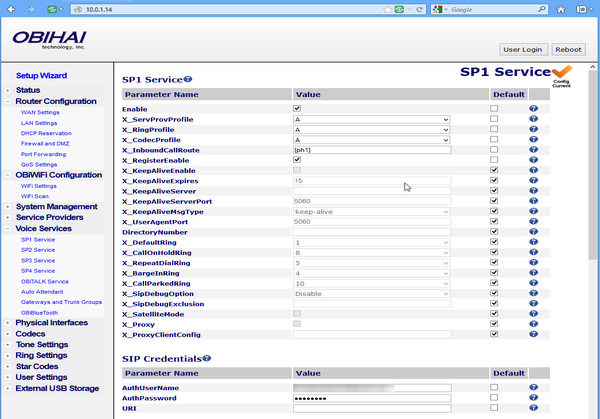
Obi202 devices' built-in Web Management Portal
The beauty of the OBi product line is its flexibility, but that also introduces some complexity - so atfirst I wasn't sure how to setup single-stage dialing. Fortunately, there is an active community forum discussing how to get the most out of your OBi and I found this thread on single-stage dialing.
What can single-stage dialing do for you
With single-stage dialing you can not only initiate a call through a specific trunk, but if you have multiple OBis you can use a prefix to initiate a call through that specific OBi. This is especially useful if you have OBis locate in different countries where you are trying to get local dialtone from anywhere in the world. Essentially, your OBis are inexpensive VoIP gateways. Here's some sample single-stage dialing to get a feel for what it can do:
18005551212 -> Local PrimaryLine
**1 18005551212 -> Local SP1 Service
**2 18005551212 -> Local SP2 Service
**8 18005551212 -> Local LINE Port
**9 200123456 -> Local OBiTALK Service
2*18005551212 -> OBi #2 PrimaryLine
2 **1 18005551212 -> OBi #2 SP1 Service
2 **2 18005551212 -> OBi #2 SP2 Service
2 **8 18005551212 -> OBi #2 LINE Port
2 **9 200123456 -> OBi #2 OBiTALK Service
As you can see from the dialing patterns above you have the ability to dial normally (no prefixes), dial through a specific trunk (**#), and dial through a specific OBi (#*). You can also perform two-stage dialing where you dial into the Obi's auto-attendant and then initiate an outbound call.
Mobile VoIP Features
You will not find a product with more powerful mobile VoIP features than OBi, period! Obihai offers Apple iOS, Android, and PC softphone apps for mobile VoIP with some very cool features. I tested the iOS version app called OBiON on my iPhone (News - Alert) 4S and was pretty happy with it. From my iPhone I was able to receive calls to my Google Voice number or my Anveo number using Wi-Fi or my 4G data connection within the OBiON app. My only complaint was Apple's (News - Alert) Siri kept popping up and playing the Siri tone whenever I put my iPhone to my ear, forcing me to just use the speakerphone at times. I had to disable 'Raise to Speak' setting on my iPhone, which I rarely use anyway.
Continue reading OBi202 Review...
Tags: analog, analog telephone adapter, android, ata, google voice, iphone, mobile voip, obi202, obihai, phone, review, sip, voip Related tags: stage dialing, single stage, google voice, specific trunk, phone ports, phone
Related Entries
magicJack vs netTALK vs Ooma vs. Obihai - Jun 22, 2012
 Auto-Provision VoIP Softphone with QR Code - Aug 10, 2012
 Obihai Mashes Up Mobile, Landline, VoIP & Social Networking - Dec 10, 2010
 Panasonic KX-UT670 Android IP Phone Review - Jun 26, 2012
 maaii Review - New VoIP App Similar to Viber - Feb 28, 2012
 Cisco UC320W Review - Oct 05, 2011
 Vonage Time to Call iPhone App Makes Cheap International Calls - Aug 03, 2011
 Viber for Android Beta Launches - May 04, 2011
 Bababoo Mobile VoIP App for iPhone Saves You Money - May 03, 2011
 TELTUB + Google Voice = $5 Unlimited Calling to U.S. & Canada - Jan 17, 2011
 TrackBacks | Comments | Tag with del.icio.us | VoIP & Gadgets Blog Home | Permalink: OBi202 Review
[ Back To TMCnet.com's Homepage ]
|

 Facebook Profile
 FriendFeed Profile
 Google+ Profile
 Google Reader Profile
 LinkedIn Profile
 Twitter Profile