Why More Beginners Are Trying AI Image Generation?
AI image generation has become one of the easiest ways to bring ideas to life. Whether you want to create social media graphics, character concepts, marketing visuals, or simply experiment with creative ideas, AI can now produce impressive results in seconds.
Yet for many beginners, getting started still feels intimidating. Which tool should you choose? Do you need to learn prompt engineering? Will you run out of free generations before you even figure out how everything works?
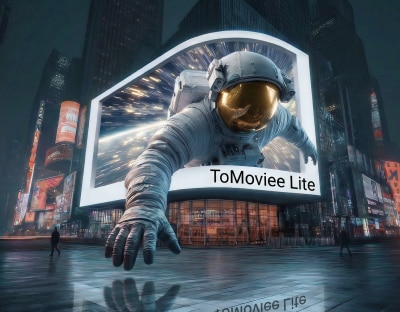
The good news is that creating AI images is much simpler than it used to be. With Wondershare Media.io, users can now access unlimited free AI image generation through the ToMoviee Lite model, making it easy to experiment, learn, and improve without worrying about daily limits or credits.
What Makes an AI Image Generator Beginner-Friendly?
Not every AI image generator is designed with first-time users in mind. If you're just getting started, these are the features that make the biggest difference.
You shouldn't have to master prompt engineering before creating your first image. A beginner-friendly AI image generator should understand natural language, allowing you to describe ideas the same way you would explain them to another person.
- Built-in Prompt Assistance
Sometimes the hardest part isn't creating the image—it's knowing what to type.
Look for tools that can automatically improve your prompt. By expanding simple descriptions with additional details, a built-in prompt optimization feature can help beginners generate richer, more accurate images without requiring advanced prompting skills.
Some days you start with an idea. Other times you already have a reference image that you'd like to transform.
Supporting both text-to-image and image-to-image generation gives beginners more flexibility and removes the pressure of always starting from a blank page.
- The Freedom to Experiment
Creating great AI images is an iterative process. Most creators test multiple prompts, styles, and compositions before finding the version they like best.
That's why generous or unlimited image generation can make such a difference for beginners—it encourages exploration instead of making every generation feel like something that needs to be saved.
How to Create Your First AI Image with Wondershare Media.io
One of the advantages of Wondershare Media.io is that it offers two simple ways to begin creating. Whether you have an idea in mind or an existing image you'd like to build on, the process only takes a few steps.
Option 1: Create an Image from a Text Prompt
- Step 1: Describe Your Idea
Enter a prompt describing what you'd like to create. It can be as simple as a sentence written in natural language.
Beginner Tip: Not sure how to write a good prompt? Use the built-in Prompt Optimizer to automatically enhance your description with richer details, helping you achieve better results without learning prompt engineering.
A simple prompt formula for beginners is: subject + setting + visual style + lighting + aspect ratio.
- Step 2: Reuse Existing Assets (Optional)
If you've previously created characters or saved creative assets, you can quickly select them from the AI character library or asset library. This makes it easy to continue earlier projects while keeping characters and visual elements consistent.
- Step 3: Choose an Aspect (News - Alert) Ratio
Select an aspect ratio based on how you plan to use your image. Wondershare Media.io's ToMoviee Lite supports multiple formats, including:
- 1:1 for square images and general social media content
- 9:16 for vertical content such as short videos, mobile screens, and social platforms
- 16:9 for widescreen content, presentations, and video-related projects
- 2:3 for portrait-oriented visuals
- 3:2 for landscape-oriented images
Choosing the right aspect ratio before generation helps create visuals that better fit your intended platform or creative project.
- Step 4: Generate and Explore
Generate your image and review the results. Since ToMoviee Lite is now available for unlimited free AI image generation within Wondershare Media.io, you can freely refine prompts, explore different styles, and generate multiple variations until you're happy with the outcome.
Option 2: Create an Image from a Reference Image
Already have an image you'd like to transform? The image-to-image workflow is just as beginner-friendly.
- Step 1: Upload Your Reference Image
Choose an existing image as the starting point for your new creation.
- Step 2: Describe What You Want to Change
The same prompt optimizer, AI character library, and asset library are available here.
- Step 3: Select an Aspect Ratio
Choose the output format that matches your creative goal. Wondershare Media.io's ToMoviee Lite supports 2:3, 1:1, 3:2, 9:16, and 16:9 aspect ratios, allowing users to create visuals for different types of content, from portrait images and social media posts to widescreen creative projects.
- Step 4: Generate a New Version
Generate a new image based on your reference image and prompt. After reviewing the result, you can regenerate or re-edit the image to further refine your creation. You can also turn the generated image into a video or save it to your asset library for future projects.
Myths vs. Reality
Myth: I need to learn prompt engineering before I can create good images.
Reality: Most modern AI image generators understand natural language. Start with a simple description, then refine it as you go. Features like prompt optimizer in Wondershare Media.io can automatically improve your prompt, making it easier to achieve better results without mastering complex prompting techniques.
Myth: If my first image doesn't look right, I'm doing something wrong.
Reality: AI image generation is built around experimentation. Trying different prompts, styles, or compositions is a normal part of the creative process.
Myth: I only have a few free generations, so I can't afford to experiment.
Reality: That's exactly what makes unlimited free image generation valuable. With ToMoviee Lite now available for unlimited free use in Wondershare Media.io, beginners can test ideas, compare styles, and refine prompts without worrying about daily quotas or running out of credits.
What Can You Create Next?
Your first AI-generated image doesn't have to be the end of your creative journey. Once you're comfortable with the basics, you can start creating content for a wide variety of real-world projects, including:
- Social media graphics and thumbnails
- Character designs and concept art
- Marketing visuals and promotional materials
- Story illustrations and scene references
- Mood boards and creative inspiration
- Presentation visuals and educational content
Unlike standalone AI image generators, Wondershare Media.io lets you continue creating after the image is finished. You can naturally move from image generation into AI storytelling, video creation, audio tools, and editing without switching between multiple applications.
Final Thoughts
Getting started with AI image generation doesn't have to be complicated. The best way to learn is simply to start creating, experiment with different ideas, and improve through practice.
With unlimited free AI image generation powered by the ToMoviee Lite model, Wondershare Media.io removes one of the biggest barriers for beginners: the fear of wasting credits while learning. Combined with beginner-friendly features like prompt optimizer, reusable AI character library and asset library, plus integrated creative tools that support projects beyond image generation, it offers an accessible way to build confidence and bring ideas to life.
Whether you're creating your very first AI image or exploring new creative possibilities, Wondershare Media.io provides a simple place to learn, experiment, and continue creating—all within one platform.
