If you’ve ever built (or inherited) a “perfectly engineered” data center stack, you know the punchline: the invoice is only the beginning. The real story shows up later, especially during renewals, upgrades, troubleshooting, and that one storage incident that mysteriously lands on your lap at 2:13 a.m.
If your organization is still depending on traditional infrastructure, it may still continue to deliver. Also, you might be sleeping on the thought, “why change something that’s still working?”
But if you take a closer look at modern HCI, you’d have a clear picture of how much money you’re losing just on outdated systems.
So, here’s a straight, practical HCI vs traditional infrastructure cost comparison for IT personnel, no fluff.
Setting the Stage: HCI vs Traditional IT Infrastructure
Traditional data centers commonly use a three-tier architecture: separate compute (servers), storage (SAN/NAS), and networking (switching/fabric), each with its own tooling and lifecycle.
Historically, this model worked because it gave teams “best-of-breed” choices and predictable performance tuning, especially when storage teams could squeeze every IOPS out of a SAN.
On the other hand, hyperconverged infrastructure (HCI) flips that approach. It converges compute, storage, virtualization (and often networking/management) into a single software-defined stack running across nodes, managed as one cluster.
If you want a quick mental model: instead of stitching together three products and three consoles, you’re operating one platform that scales by adding nodes.
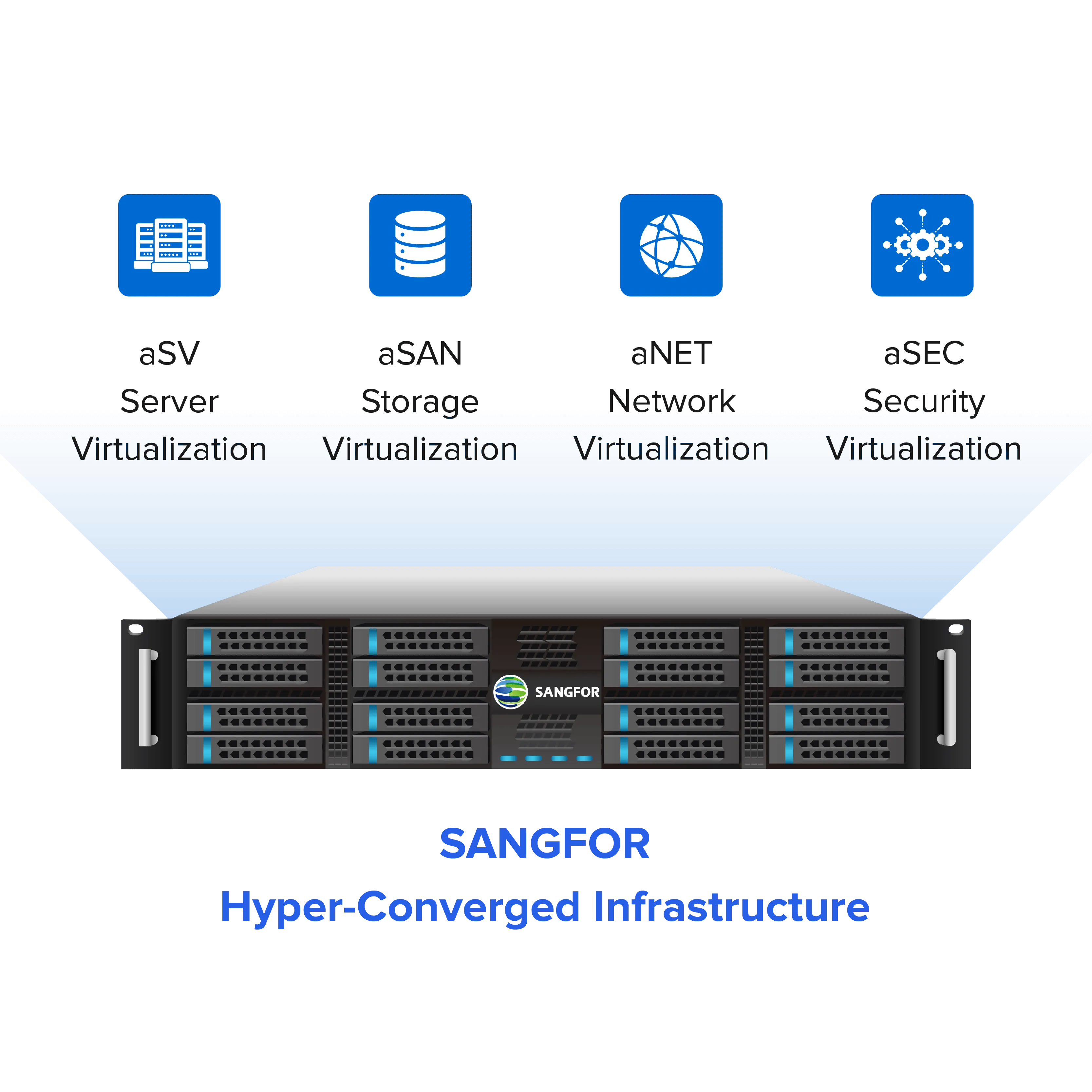
We, at Sangfor, position Sangfor HCI as an enterprise-grade VMware alternative and server virtualization software, built as a full-stack HCI platform that converges compute, storage, networking, and security (aSV, aSAN, aNET, and aSEC) to simplify operations and reduce TCO.

In fact, it’s the name that’s constantly popping up in the middle of IT infrastructure migration conversations.
Hidden Costs of Traditional IT Infrastructure
Traditional stacks aren’t “expensive” only because of hardware. They’re expensive because the costs come in layers.
First, the obvious: Separate servers, storage arrays, and networking gear, plus the cabling, compatibility checks, and vendor back and forth when something fails.
Then the tooling: Separate management planes for compute, SAN, backup, monitoring, and sometimes separate professional services just to keep the puzzle pieces aligned.
Now the sneaky part: Ongoing overhead, power, cooling, rack space, and specialized staff. Traditional capacity planning often pushes you into over provisioning “just in case,” which means you pay now for capacity you might need later.
And expansions can be disruptive: add storage shelves, migrate data, rebalance performance tiers… It’s rarely “just add one thing.”
If you’re on a VMware-centric legacy stack, licensing can become a major TCO multiplier. Broadcom’s (News - Alert) shift to subscription and per-core licensing includes rules like a 16-core minimum per CPU for certain bundles, which can push costs up even when your physical cores are lower.
There have also been widely reported changes and penalties around renewals and minimum purchase requirements, which is exactly the kind of budget volatility IT teams hate.
What hidden costs make traditional IT infrastructure more expensive over time?
The highest hidden costs come from fragmentation. Unlike Sangfor, traditional three-tier environments require separate hardware, management tools, support contracts, and specialist skill sets for compute, storage, and networking. Over time, this leads to over-provisioning, higher power and cooling costs, complex upgrades, and increased risk of downtime during expansions.
Licensing changes, especially in VMware-centric stacks, can further amplify TCO through per-core minimums, bundled subscriptions, and renewal penalties that weren’t part of the original cost model.
How Sangfor HCI Lowers Total Cost of Ownership
The main savings lever in HCI is boring but powerful: consolidation. Their model consolidates compute, storage, and networking functions on industry-standard/commodity servers, reducing hardware sprawl and simplifying procurement.
It also emphasizes built-in management and platform integration, so you’re not forced to bolt on as many third-party tools (and support contracts) to get a workable day-2 experience.
Their marketing and partner materials commonly cite large TCO reduction ranges (often “up to 70%” in some cases) and reductions in power/cooling/space requirements compared with traditional setups.
A Southeast Asian government agency replaced its legacy VMware-based three-tier infrastructure with Sangfor HCI, cutting infrastructure costs by over 40% while improving performance, operational simplicity, and long-term scalability across mission-critical workloads.
I’d treat any percentage like that as “possible, not guaranteed,” but the mechanisms are real: fewer devices, fewer renewals, and fewer moving parts.
Is HCI Actually More Cost-Effective Than Legacy Virtualization?
Yes, when you compare the lifecycle cost of Sangfor HCI with that of legacy components, it comes out as a cost-effective solution. Here’s where people argue: “HCI costs more per node.” Sure, that’s right sometimes if you compare a single HCI node to a single server SKU in isolation. But that’s not how infrastructure ROI works in the real world.
A fair comparison is lifecycle cost: acquisition plus operations, staff time, downtime risk, upgrade complexity, support contracts, and scaling effort.
With a traditional three-tier setup, you often end up paying for stranded capacity. You buy extra storage when what you really need is compute, or the other way around. On top of that, there’s an “integration tax” every time you scale or make changes.
With Sangfor, positioned as a VMware alternative, there’s another angle to consider. It helps avoid the hidden licensing math that comes with per-core subscription rules, bundle requirements, and other complexities in the newer VMware licensing model.
Performance Differences: HCI vs Traditional Architecture
Traditional SAN-backed virtualization can be excellent, but it’s also prone to classic bottlenecks: controller saturation, fabric congestion, and noisy-neighbor effects that are painful to isolate.
And because compute and storage are separate, you’re always crossing a fabric, which is fine when tuned well. But it becomes frustrating when it’s not.
Modern HCI storage architectures typically rely on data locality, SSD or NVMe caching, intelligent tiering, and distributed layouts to reduce cross-fabric dependency and keep IO paths close to application workloads.
In Sangfor HCI, this design is reinforced through SSD caching and patented I/O localization. The platform prioritizes serving VM data from the same physical node whenever possible, which helps reduce latency.
According to partner and solution-level documentation, Sangfor HCI can deliver very high performance in optimized all-flash setups. In some configurations, a three-node cluster has demonstrated throughput approaching ~1 million IOPS.
Also, with aSV, a bare metal hypervisor, Sangfor delivers enterprise-grade cloud environments that prioritize performance and security. How? Well, aSV works independently, and that direct approach allows the hypervisor to deliver high performance.
It’s a good example of how smart storage design can translate into real-world performance gains under the right conditions.
Does HCI actually deliver better application performance than traditional architectures?
For most business workloads, HCI delivers more predictable performance rather than just higher peak numbers. By keeping compute and storage resources closer together, HCI reduces latency, avoids SAN bottlenecks, and minimizes noisy-neighbor issues that are harder to isolate in three-tier designs.
In platforms like Sangfor HCI, features such as data locality, SSD/NVMe caching, and a bare-metal hypervisor help maintain consistent performance under mixed workloads, especially for VDI, databases, and distributed environments where stability matters more than raw benchmarks.
Does HCI Deliver Better Performance for Business Applications?
Yes, HCI makes performance more predictable for the teams handling heavy workload. For most business workloads, you’re aiming for predictable performance and fast recovery from “we need more capacity now.”
Sangfor HCI ensures this improvement in performance when you move away from VMware onto Sangfor HCI. A large number of users are confirming the efficiency of Sangfor HCI on peer-review platforms like Gartner, with a 4.8 rating out of 5, and G2 (News - Alert), with a 4.7 rating out of 5.
- VDI: HCI architectures often handle boot/login storms well due to caching and distributed storage behavior.
- Databases/ERP: consistent latency matters more than peak numbers, and features like data placement/striping and scheduling can improve responsiveness.
- Branch/remote: HCI’s scale-out approach (add nodes) is usually simpler than forklift upgrades typical in traditional stacks.
Operational Simplicity and Security Benefits
Operational complexity is the silent cost killer. Three-tier means multiple consoles, more patch surfaces, and more chances for config drift.
Provisioning can also be slower because it requires coordination across domains (compute/storage/network), which is why “quick request” tickets become mini projects.
HCI pulls that into a unified, policy-driven experience, one platform to deploy, expand, monitor, and maintain.
We also emphasize integrated security capabilities within the stack (often described as embedded security functions rather than bolt-ons), which can reduce dependence on separate appliances and separate policy engines.
And from a risk perspective, fewer handoffs and fewer tools typically mean fewer misconfigurations, especially in distributed environments.
A Cost- and Performance-Driven Choice
If your goal is predictable infrastructure ROI and smooth scalability, the case for HCI usually comes down to this: you’re paying to simplify the entire operating model, not just to refresh hardware.
Sangfor HCI positions itself as a VMware alternative and a full-stack hyperconverged infrastructure platform that reduces infrastructure silos, consolidates management, and cuts the operational drag that inflates TCO in traditional stacks.
Many teams are feeling the pressure from subscription-based licensing and complex bundles in VMware ecosystems. The math isn’t always obvious up front, and costs can shift over time.
Moving to a simpler HCI platform can help reduce those surprises. Over a 3 to 5 year horizon, it often brings more predictable pricing and fewer budget shocks. Choosing Sangfor HCI over traditional infrastructure isn’t just an architectural upgrade. It’s a practical move toward a more efficient setup. One that scales more easily as needs change.
It’s also more cost-effective over time. And, just as important, it’s easier to run on normal weekdays and far kinder when weekend incidents roll around.
