The Digital Negative: Understanding DNG and RAW Formats
If you've ever had problems opening raw files from your camera, finding the right solution is essential. Most digital cameras will save the images as JPEG or raw files or both; there are pros and cons of each format. However, it is often found that raw is superior to JPEG files since the raw file format could retain more detail than a JPEG. RAW files are almost completely unprocessed, allowing us to edit the images based on our creative vision and recover detail that might be thrown out with a JPEG file.
In this context, another image format to consider is the digital negative or DNG. In essence, a DNG file is a raw file. To understand its value, we must define what a raw file is and its advantages and disadvantages compared to DNG files.
The Problem: Compatibility and Proprietary RAW Formats
A raw file is not a standard image format like JPEG; the raw format is different camera to camera and is constantly being updated and improved. When a new camera comes out, it may take a while for software companies to catch up and release an update so that programs can open and work with the latest raw file. According to industry data, there are actually over 500 different variations of the raw format, so every time a new version is added, an update has to be made.
Although you may shoot in a raw file format, the file itself will differ depending on the camera you use: Nikon raw files have an extension of NEF, Canon (News - Alert) is CR3 or CR2, and Sony is ARW. Often, new digital cameras will require editing software to be updated to recognize your raw file. Another thing to consider is what if your raw file becomes outdated and your favorite software decides to no longer support it? For example, Canon switched from CR2 to CR3.
The Solution: SoftOrbits HEIC to JPG Converter and DNG
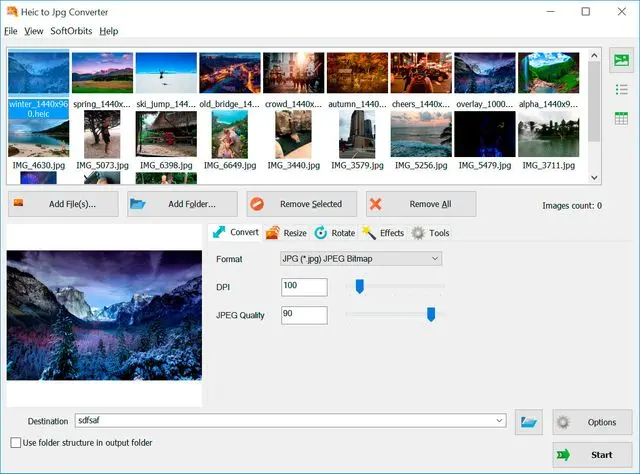
The DNG file format was created as a means to overcome some of the disadvantages of your camera's proprietary raw format. DNG stands for digital negative and is an image format developed by Adobe (News - Alert) that can actually be used without a specific account. If you ever experience any issues opening or converting these files, a powerful tool like SoftOrbits HEIC to JPG Converter makes it easy to handle these tasks, converting described raw files (DNG, CR2, CR3, NEF) into JPEG and other formats.
Technical Advantages and Data Efficiency
The size of a DNG file is around 20 percent less compared to your raw files without a loss of quality, which is a huge benefit if you shoot a lot of photos. DNG files on average are 15 to 20% smaller than raw files; you can of course convert your existing raw files to DNG files to save storage space.
Plus, your edit settings and any other metadata you add like ratings and labels are stored inside the DNG file, so you don't need to create those extra XMP files. You can think of a DNG file like its own catalog. If you edit a DNG file, there is no loss of quality unlike with JPEG files which are compressed files—every time you save a JPEG, you lose data.
Expert Insight from SoftOrbits
Eugene Ustinenkov, CEO of SoftOrbits, emphasizes the practical application of these formats:
"The DNG file format was created as a means to overcome some of the disadvantages of your camera's proprietary raw format... you get an uncompressed file with no loss of data but you're not tied into using any particular software." >
"If you ever experience any issues opening raw files, the solution is to simply convert your raw files into DNG files or standard formats, and this can be done easily using software like HEIC to JPG Converter Software."
To use or not to use DNG or raw files is a question only the user can answer based on their archive needs. However, converting to a universal format remains the best safeguard against proprietary file obsolescence. If your editing app doesn't support those raw files yet, conversion is the most reliable path forward.
SoftOrbits Company Address:
9/19, Moo 7, Koh Phangan, Surat Thani 84280, Thailand.
