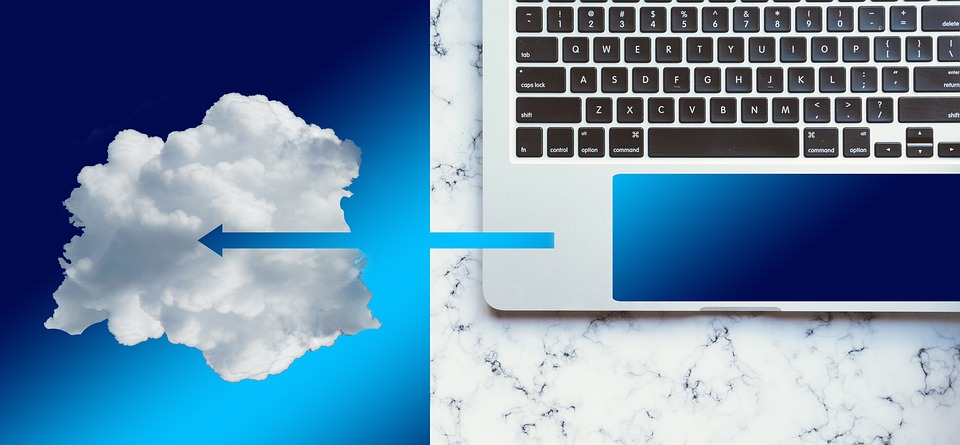
Cloud-based remote desktop solutions have become increasingly popular in recent years, offering individuals and businesses a convenient and flexible way to access their desktop environments and applications remotely. In this article, we will explore the pros and cons of utilizing these solutions, helping you make an informed decision about whether they are the right fit for your needs.
Pros of Cloud-based Remote Desktop Solutions
Accessibility and Flexibility
One of the major advantages of cloud-based remote desktop solutions is the ability to access your desktop environment from anywhere, at any time. Whether you are traveling, working from home, or collaborating with colleagues in different locations, you can easily connect to your virtual desktop and continue your work seamlessly. This level of accessibility and flexibility greatly enhances productivity and work-life balance, learn more about our admin RDP.
Cost-effectiveness
Cloud-based remote desktop solutions can offer significant cost savings compared to traditional desktop setups. By moving your desktop environment to the cloud, you eliminate the need for expensive hardware upgrades and maintenance. Additionally, you can opt for a subscription-based pricing model, paying only for the resources you use. This scalability allows businesses to scale up or down as needed, without incurring unnecessary costs.
Enhanced Security
Contrary to common misconceptions, cloud-based remote desktop solutions often provide robust security measures to protect your data. Most reputable providers employ encryption protocols, firewalls, and multi-factor authentication to safeguard your information. Furthermore, centralizing your data in secure data centers reduces the risk of data loss due to hardware failures or theft.
Improved Collaboration
Cloud-based remote desktop solutions foster collaboration by allowing multiple users to access and work on the same virtual desktop simultaneously. This feature is particularly beneficial for teams working on joint projects or businesses with geographically dispersed employees. With real-time collaboration tools, such as shared folders and screen sharing capabilities, remote teams can seamlessly collaborate and boost their productivity.
Scalability and Easy Upgrades
Another advantage of cloud-based remote desktop solutions is their scalability. As your business grows or your resource requirements change, you can easily scale up or down by adding or removing virtual desktops. This flexibility eliminates the need for costly hardware upgrades or complex migration processes. Additionally, software upgrades and security patches can be implemented centrally, ensuring all users have access to the latest features and protection.
Cons of Cloud-based Remote Desktop Solutions
Dependence on Internet Connectivity
While cloud-based remote desktop solutions provide unparalleled accessibility, they are reliant on stable internet connectivity. If your internet connection is slow or unreliable, it can significantly impact your productivity and user experience. It is crucial to consider the quality and reliability of your internet connection before fully embracing cloud-based remote desktop solutions.
Potential Performance Issues
Although cloud-based remote desktop solutions have come a long way, performance issues can still arise. Factors such as latency, bandwidth limitations, and resource contention can affect the responsiveness of your virtual desktop. While these issues can be minimized with proper configuration and choosing a reputable service provider, it's important to be aware of their potential impact on your overall user experience.
Data Privacy Concerns
When moving your desktop environment to the cloud, you are entrusting your data to a third-party service provider. While reputable providers prioritize data security, there may still be concerns about data privacy and potential unauthorized access. It is essential to thoroughly research and choose a reliable provider with stringent security measures in place to mitigate these risks.
Limited Customization Options
Cloud-based remote desktop solutions often come with predefined configurations and limited customization options. While this can be advantageous for quick deployment and ease of management, it may not meet the specific needs of every individual or business. If your workflows or applications require extensive customization or integration with legacy systems, a cloud-based solution may not be the best fit.
Reliance on Third-party Service Providers
By adopting a cloud-based remote desktop solution, you become dependent on the service provider for the availability and performance of your virtual desktop. Downtime or service disruptions on the provider's end can temporarily render your remote desktop inaccessible. It is crucial to choose a reputable provider with a proven track record of reliability and uptime.
Case Studies
To illustrate the benefits of cloud-based remote desktop solutions, let's consider a couple of real-life case studies:
Case Study 1: XYZ Corporation
XYZ Corporation, a global software development company, implemented a cloud-based remote desktop solution to empower their remote workforce. By utilizing virtual desktops hosted in the cloud, their employees gained the flexibility to work from anywhere, ensuring uninterrupted productivity. The collaboration features allowed teams to seamlessly collaborate on projects, resulting in increased efficiency and shorter development cycles.
Case Study 2: ABC Consulting
ABC Consulting, a medium-sized consulting firm, leveraged a cloud-based remote desktop solution to provide their consultants with secure and remote access to client-specific applications and resources. This enabled their consultants to work on client projects from anywhere, without compromising data security. The scalability of the solution allowed ABC Consulting to quickly onboard new consultants during periods of high demand, ensuring efficient project delivery.
Conclusion
Cloud-based remote desktop solutions offer a myriad of benefits, including enhanced accessibility, cost-effectiveness, improved collaboration, and scalability. However, they also come with potential drawbacks, such as dependence on internet connectivity, performance issues, and data privacy concerns. Before adopting such a solution, it is essential to assess your individual needs and priorities, considering factors like internet reliability, customization requirements, and the reputation of service providers.
As technology continues to evolve, we can expect cloud-based remote desktop solutions to become even more advanced, addressing current limitations and introducing new features. By carefully evaluating the pros and cons and aligning them with your specific requirements, you can make an informed decision that optimizes productivity and enables seamless remote work.
FAQs
1. How secure are cloud-based remote desktop solutions?
- Reputable cloud-based remote desktop solutions prioritize security and employ measures like encryption, firewalls, and multi-factor authentication to safeguard data.
2. Can cloud-based remote desktop solutions handle resource-intensive tasks?
- Yes, cloud-based remote desktop solutions can be configured with sufficient resources to handle resource-intensive tasks. However, performance may depend on factors like bandwidth and latency.
3. What happens if the internet connection is lost while using a cloud-based remote desktop?
- If the internet connection is lost, users may temporarily lose access to their remote desktop. It's advisable to have a backup plan in place, such as offline work or a secondary internet connection.
4. Are there any specific industries that benefit the most from cloud-based remote desktop solutions?
- Cloud-based remote desktop solutions can benefit a wide range of industries, including IT, software development, consulting, and remote teams in general.
5. Can cloud-based remote desktop solutions be integrated with existing IT infrastructure?
- Yes, cloud-based remote desktop solutions can often be integrated with existing IT infrastructure, allowing seamless access to legacy systems and applications.
