


Call Center Scheduling Featured Article
Monet Promotes Workforce Management Visuals
Every call center needs a workforce management (WFM) tool to help manage and track the progress of its agent performance levels. WFM provides businesses the ability to capture and analyze customer interaction across all platforms. Yet aside from its detailed reports, one of the key aspects to such solutions is its visualizations. And as Monet, a provider of WFM solutions points out, visuals are just as important as the words in the reports.
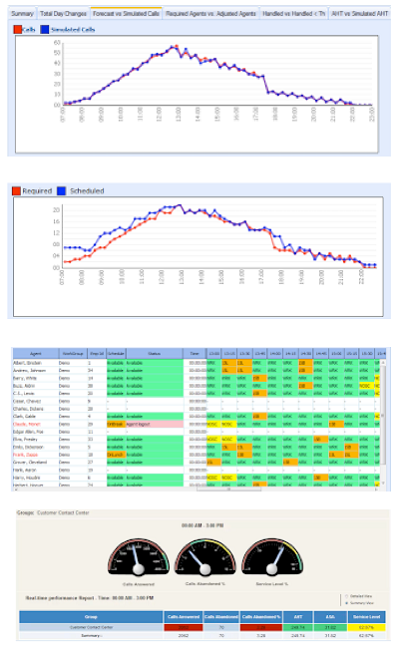
Image via Monet
Starting from top to bottom of Monet’s WFM dashboard (above), it’s fair to say that having such clear visuals gives managers a greater look into how each call center is operating. Now forecasting and scheduling can both be viewed in the form of a line graph that allow users to immediately note where points are high or low. Forecasting tracks daily trends for immediate adjustments, while the scheduling tool helps create an agenda that best meets service levels and helps with cost control.
The adherence dashboard also helps monitor all of the agents in real-time. Supervisors can then take immediate action after looking at the chart (depending on areas that are lacking), as it provides all of the listed scheduled activities, and how they vary from the current call center status.
The last part of the WFM visuals are the metrics, which can also be reviewed in the dashboard and include service levels, answer and abandon times, average speed of answer, average handle times, average talk time and the cost of staffing. Although the dashboard is not as thorough as the full WFM report, the visuals provide an immediate picture of what is going on at that moment.
For call centers that are busy and experience high call volume, such a visual tool is vital as it allows managers to get a clear idea of the situation without having to spend time reading through piles of reports. To truly understand how Monet’s WFM solution works, click here for a full video tutorial on how it can improve the performance of each call center.Edited by Rory J. Thompson